Private by designWorkbooks are opened and saved on your device
501 functionsOf Excel’s 523, with dynamic arrays and LAMBDA
XLSX in, XLSX outStyles, tables, charts and PivotTables round-trip
17 chart typesPlus sparklines and conditional formatting
If you know Excel, you already know GridCraft
The Home, Insert, Page Layout, Formulas, Data, Review and View tabs, the Name Box, sheet tabs, the fill handle and the keyboard shortcuts are where you expect them. Under them is a calculation engine that recalculates only what changed.
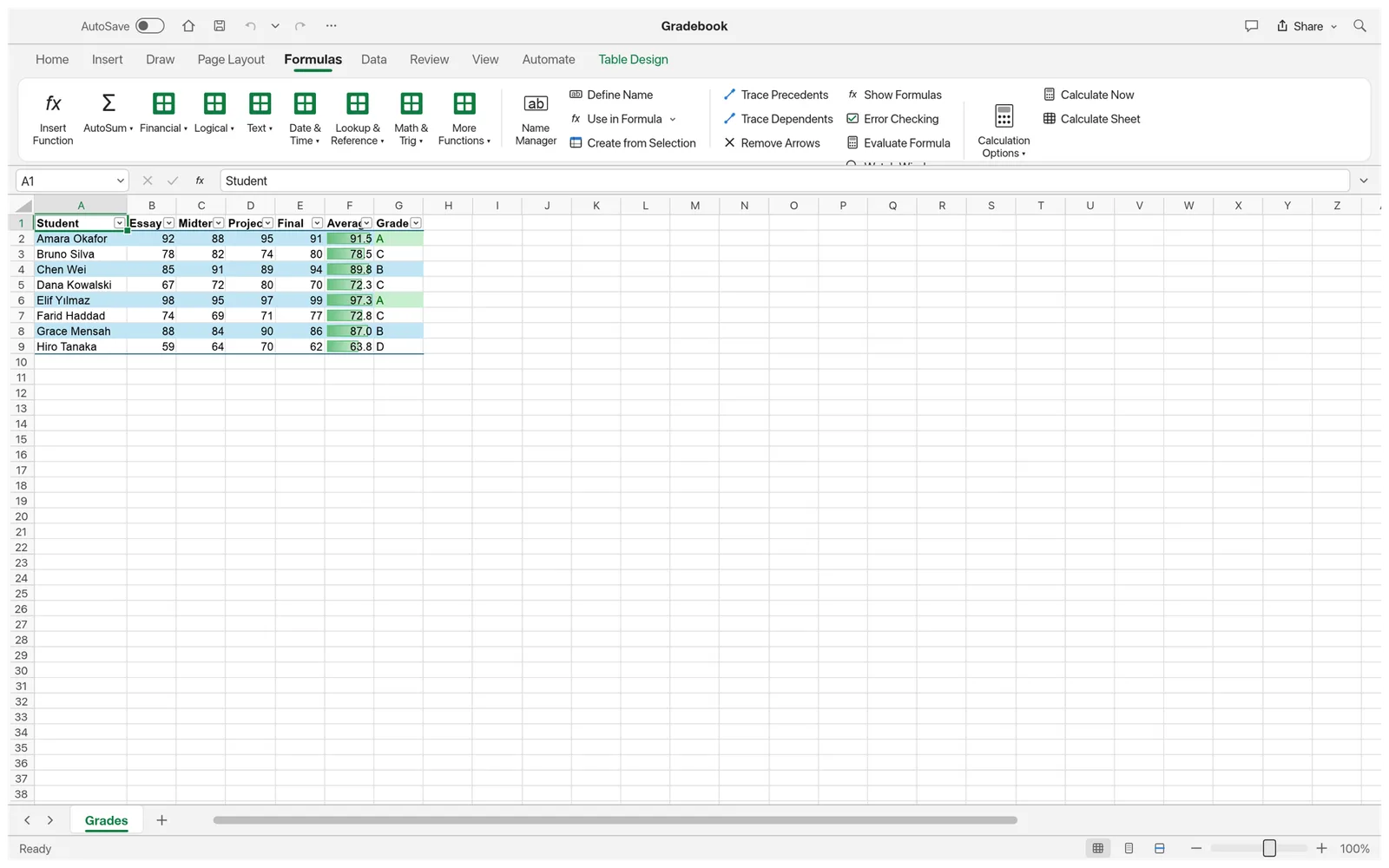
Formulas the way Excel writes them
501 of Excel’s 523 worksheet functions, dynamic arrays that spill, LET and LAMBDA with MAP, REDUCE, SCAN, BYROW and BYCOL, and structured table references. Click cells while you type a formula and each reference gets its own color, as in Excel.
Screenshot from the GridCraft project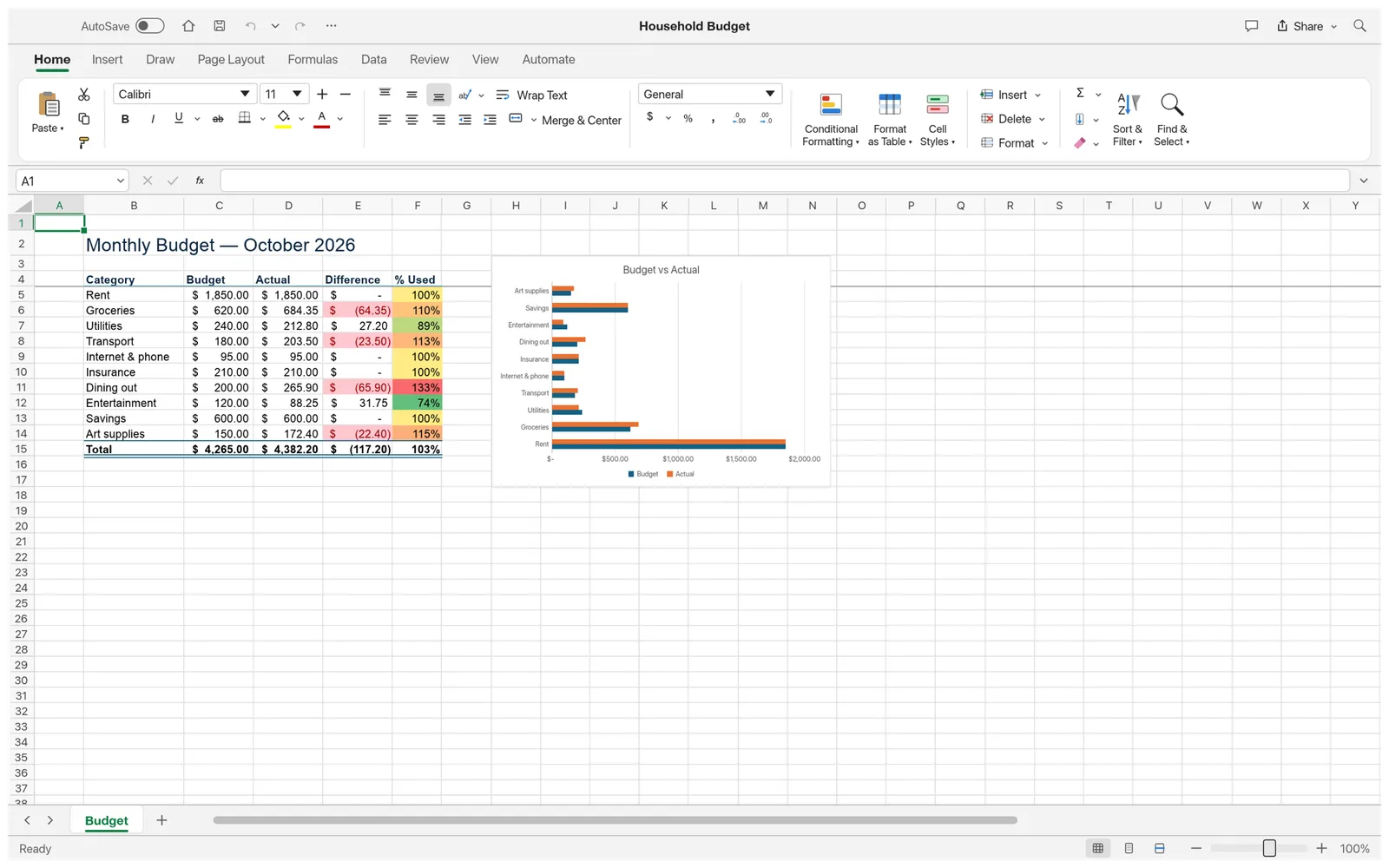
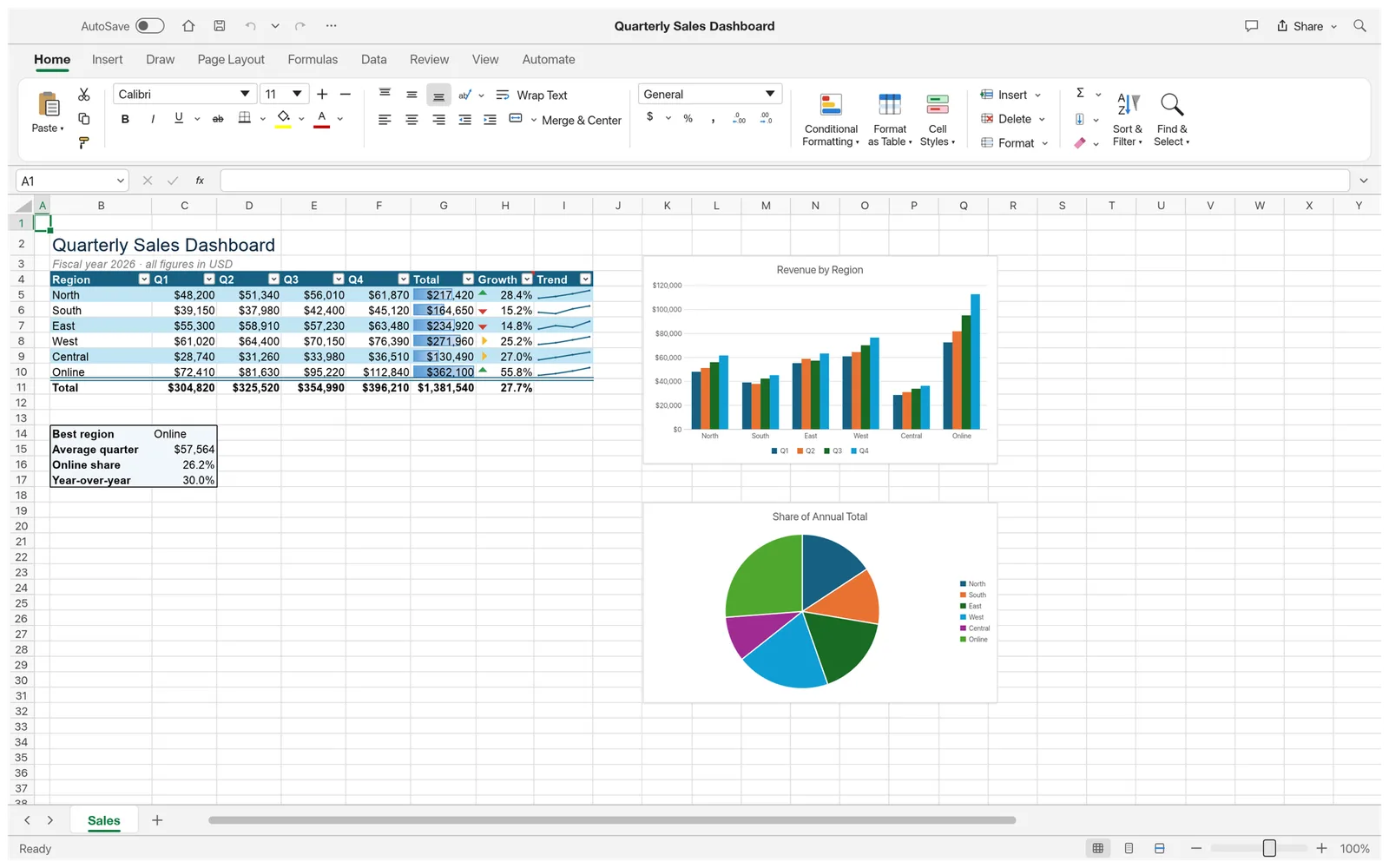
Formatting, styles and conditional rules
Excel’s full number-format language, cell styles, borders, Format Cells and Paste Special. Conditional formatting covers highlight rules, data bars, color scales and icon sets. Freeze the header row, sort, filter, add data validation and Flash Fill a column from an example.
Screenshot from the GridCraft project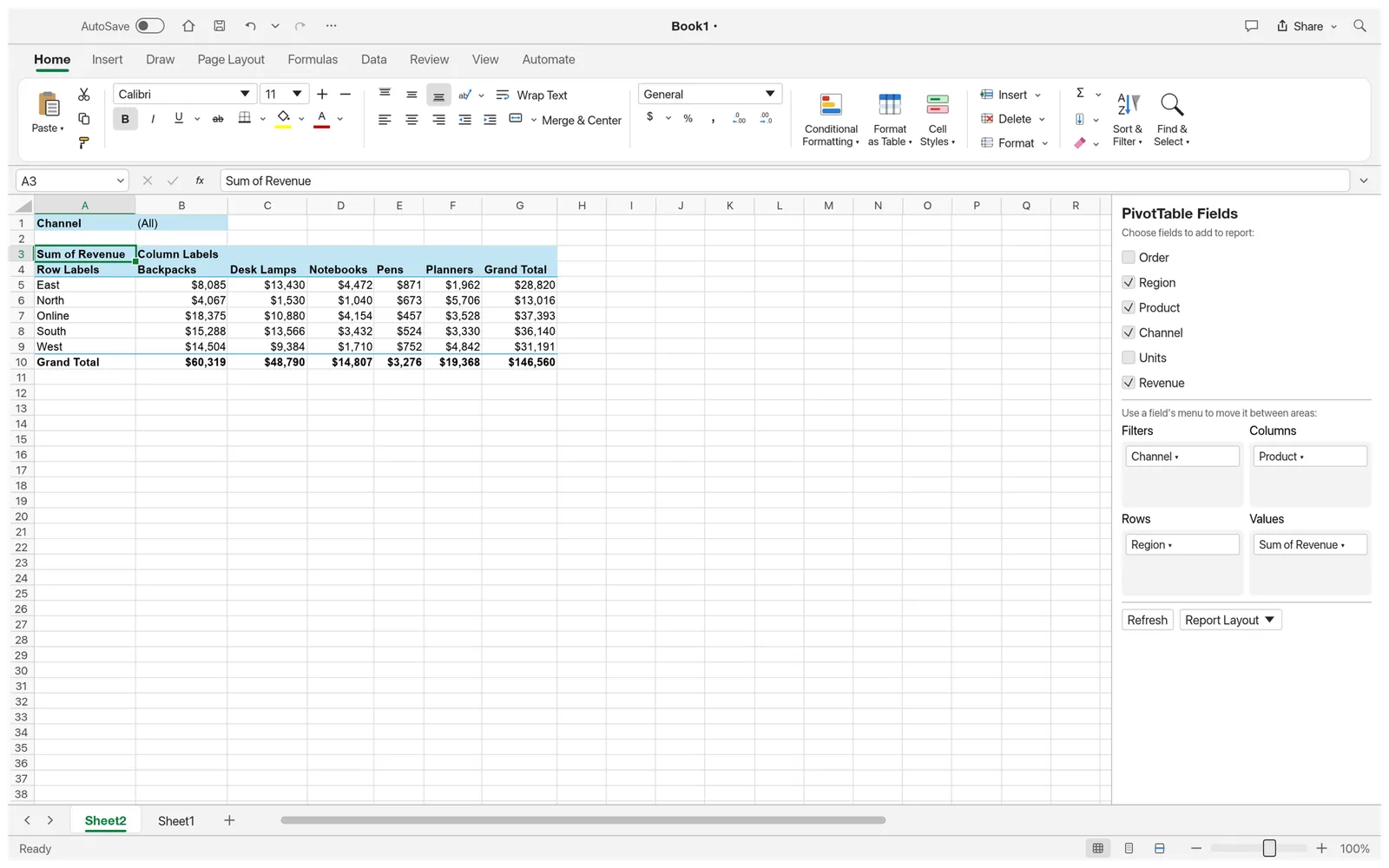
PivotTables
Pick fields for Rows, Columns, Values and Filters in the PivotTable Fields pane, group dates, and show values as a percentage of the total or as a running total. PivotTables are saved to and read from XLSX files.
Screenshot from the GridCraft project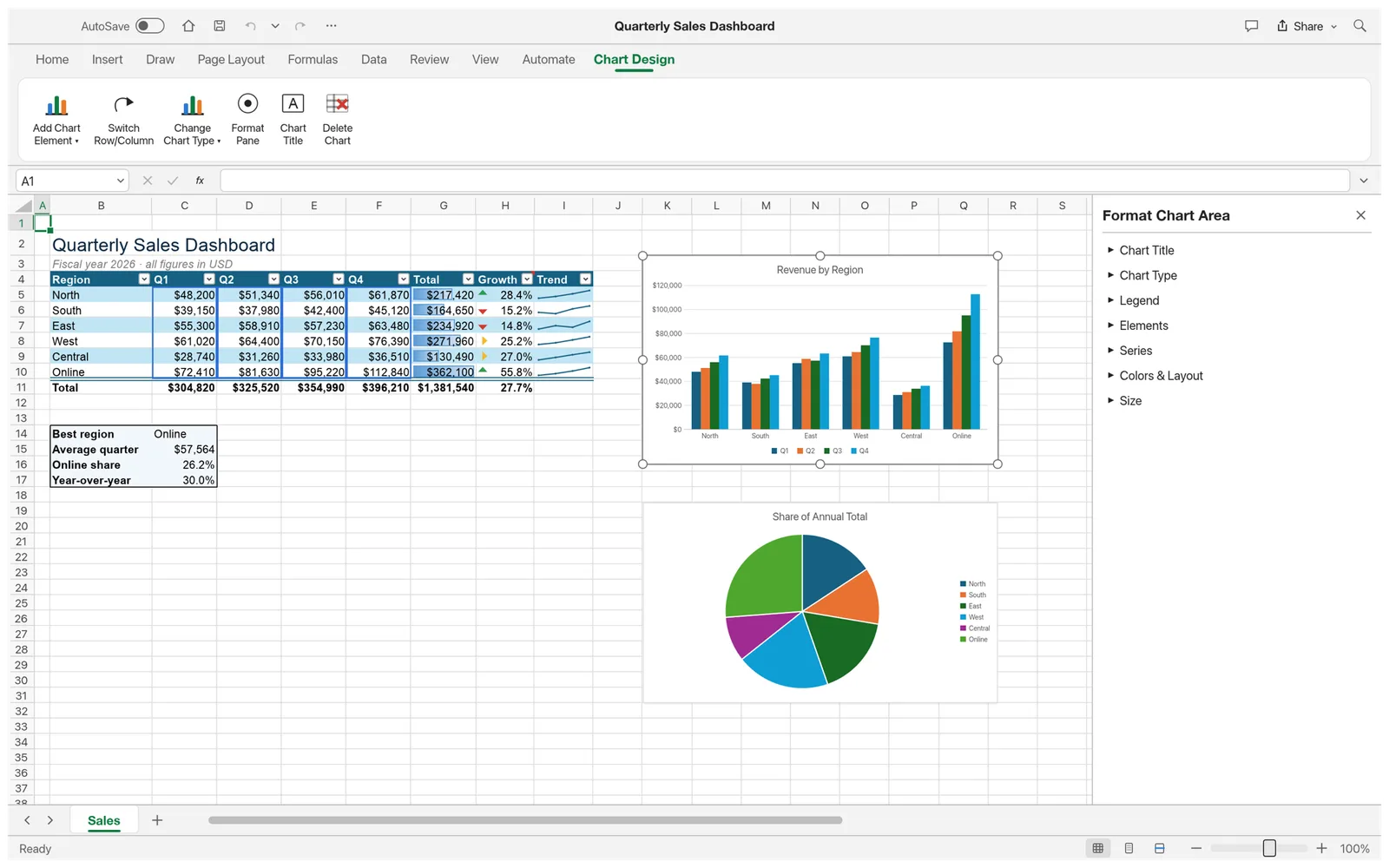
Charts and sparklines
Seventeen chart types with a Chart Design tab and a Format pane. Select a chart and its source data is outlined in the sheet. Sparklines fit a trend into a single cell.
Screenshot from the GridCraft project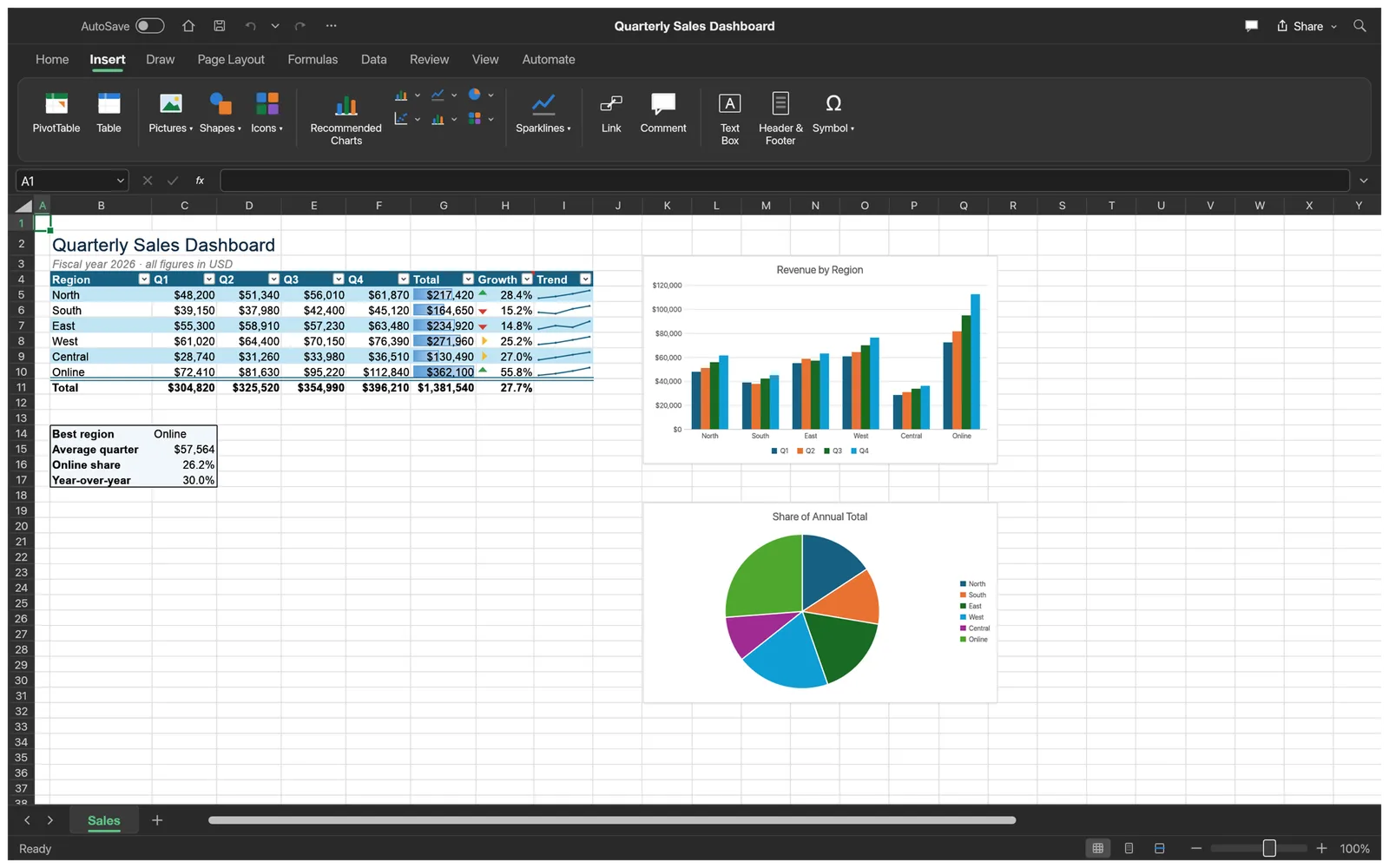
Dark mode and the Insert tab
Switch the whole interface to dark. The Insert tab adds tables, charts, sparklines, pictures (PNG and JPEG from your disk), shapes, text boxes, links and comments.
Screenshot from the GridCraft project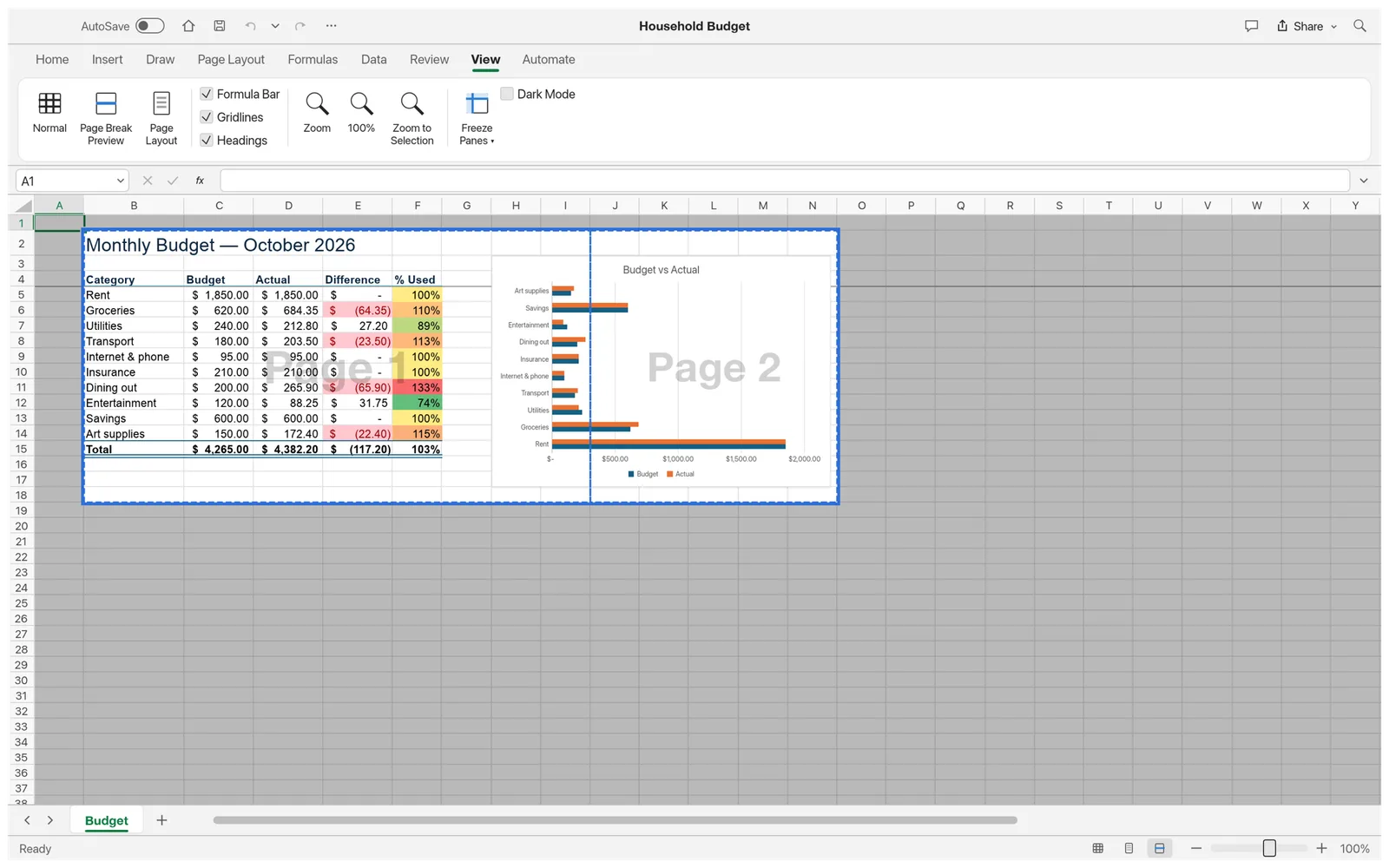
Page setup and PDF
Page Break Preview, print areas, print titles, margins and headers and footers are kept in the file. In the browser, export a sheet as a PDF download; printing to a printer needs the desktop app.
Screenshot from the GridCraft projectQuestions
Is GridCraft Online free?
Yes. The spreadsheet is free and open source, with no account, no subscription and no limits set by us. The optional Spreadsheet AI panel runs on your own AI provider key, so any AI usage is billed by your provider, not by us.
Are my spreadsheets uploaded anywhere?
No. GridCraft runs inside your browser with WebAssembly. Files open from your disk through the file picker or a drag and drop, and Save hands the workbook back as a download. The one exception is the Spreadsheet AI panel: when you attach a workbook to a question, its contents go straight to the AI provider whose key you entered.
Which files can it open?
Excel workbooks (.xlsx, and .xlsm without its macros), CSV, TSV and tab-delimited text. Binary .xlsb and OpenDocument .ods files open as values only, using the results saved in the file instead of the formulas. Old .xls files and password-protected workbooks are not supported yet, and very large workbooks (around 100 MB) fail to open.
Does it save my work automatically?
No. The browser version has no autosave: the AutoSave switch in GridCraft’s title bar only works for workbooks saved to a file on disk, which a browser tab doesn’t have. Use Save (Ctrl/⌘+S), which downloads an .xlsx file, before you close the tab. This page asks before you leave once you have edited.
Can I save as CSV?
Not in the browser. Save always downloads an .xlsx workbook; Export as CSV and Export as Web Page need a file path, which only the desktop app has. You can open the .xlsx in the desktop app, or convert it with gridcraft-cli, to get CSV.
Do Chinese, Japanese or Korean characters display?
Not in the browser version. It bundles no fonts for Chinese, Japanese, Korean, Arabic, Hebrew or Thai, so text in those scripts shows as empty boxes. The desktop app falls back to your system fonts for Chinese, Japanese, Korean, Thai and Hebrew text (Arabic is not shaped yet).
Can I copy and paste between GridCraft and other apps?
Yes, as text. Copy puts the cells on your clipboard as text and, where the browser allows it, as a formatted table. Paste (Ctrl/⌘+V) fills cells from tab-separated text copied from another spreadsheet, and pasted text that starts with = becomes a formula.
Is it a replacement for Microsoft Excel?
Not yet, and its developers say so. GridCraft is an independent, clean-room project in alpha. By their own estimate it is about 50% ready for real work: it covers 89% of the Excel ribbon commands in their catalog and 501 of Excel’s 523 functions, but there are no VBA macros, no .xls files and no Power Query, and charts are simpler than Excel’s.