Steps
- Open the spreadsheet at gridcraft.run/editor. The first load downloads the app, about 6 MB; later visits open from cache.
- Open the file. Drag the .xlsx from your desktop or downloads folder onto the grid. Or click the … (More commands) button in GridCraft’s title bar, choose Open… and pick the file.
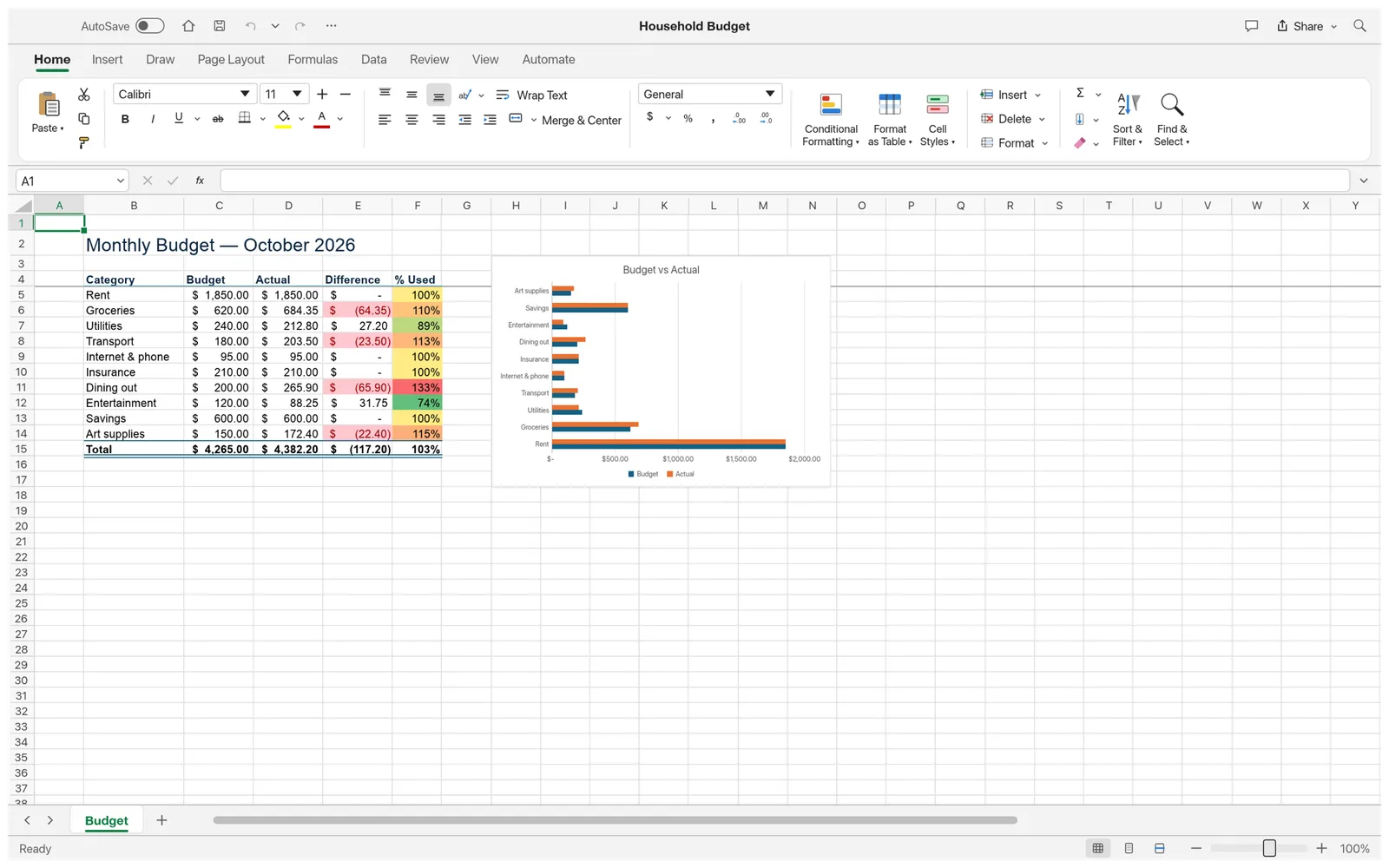
- Find your way around. Sheets are tabs along the bottom, the Name Box and formula bar show the selected cell and its formula, and the ribbon has Excel’s tabs: Home, Insert, Draw, Page Layout, Formulas, Data, Review, View and Automate.
- Edit as you would in Excel: type in cells, drag the fill handle, sort and filter, format cells, insert a chart or a PivotTable.
- Save. Click the Save button in the title bar or press Ctrl/⌘+S. The workbook downloads as an .xlsx file with the same name. Do this before you close the tab: the browser version has no autosave.
What opens, and what doesn’t
XLSX is GridCraft’s native format. These parts of a workbook are read and written back when you save:
- Cells and formulas, including shared, array and dynamic-array formulas, and defined names.
- Styles, themes, number formats, merged cells, frozen panes and outlines.
- Conditional formatting, data validation, tables, comments and notes, and hyperlinks.
- Charts, sparklines, pictures and shapes, and PivotTables with their caches.
- Print settings and sheet protection.
Some things are not kept yet, according to GridCraft’s own file-format notes:
- Form controls, slicers, timelines, external links, embedded OLE objects, Power Query queries and the data model are dropped.
- Charts are simplified: some chart types and options don’t survive the round trip.
- Macros in .xlsm files are dropped with a warning.
So keep the original file, and check anything important before you send a GridCraft-saved copy back to someone who uses Excel.
Other spreadsheet formats
| File | In the browser |
|---|---|
| .xlsx, .xlsm | Opens fully (macros dropped) |
| .csv, .tsv, .txt | Opens; see CSV to XLSX |
| .xlsb (Excel binary) | Values only: the saved results of formulas, without formulas or formatting |
| .ods (OpenDocument) | Values only, as for .xlsb |
| .xls (Excel 97-2003) | Not supported yet; refused with a message |
| Password-protected workbooks | Not supported yet; refused with a message |
An .xlsb or .ods file opens as a new workbook named “(imported)”, and Save writes it as .xlsx.
Tips
- Try it first with a sample. The Home button in the title bar opens a blank workbook or one of three samples: a sales dashboard, a household budget and a gradebook.
- Text in Chinese, Japanese, Korean, Arabic, Hebrew or Thai shows as empty boxes in the browser version, which has no fonts for those scripts. The desktop app uses your system fonts for Chinese, Japanese, Korean, Thai and Hebrew.
- Need a summary or a formula explained? Save the workbook and ask the Spreadsheet AI panel on your own API key.
- Find a command by name with the search button in the title bar.
FAQ
Is my workbook uploaded when I open it here?
No. GridCraft reads the file in your browser and keeps it in the tab’s memory. Nothing about the workbook reaches gridcraft.run’s servers, and Save gives the edited file back as a download.
Can I open an .xls file?
Not yet. GridCraft recognises the old Excel 97-2003 format and shows a message instead of opening it. Open the file in a program that reads .xls and save it as .xlsx, then open that copy here.
What about password-protected workbooks?
They aren’t supported yet: GridCraft recognises an encrypted workbook and refuses it with a message. Remove the password in the program that set it, then open the file.
Do macros run?
No. GridCraft has no VBA. An .xlsm workbook opens with its data, formulas and formatting, but its macros are dropped, and saving writes an .xlsx without them. Keep the original if you need the macros.
How large a file can I open?
Typical workbooks of a few megabytes open fine. GridCraft’s developers list very large files as a known gap: 100 MB workbooks fail to open. Everything runs in one browser tab, so the practical limit also depends on your computer’s memory.